
Free Accessibility Widget
Empower your school community to personalize their website experience.
Every visitor to your site can adjust accessibility settings to their preferences so they can stay informed and engaged.
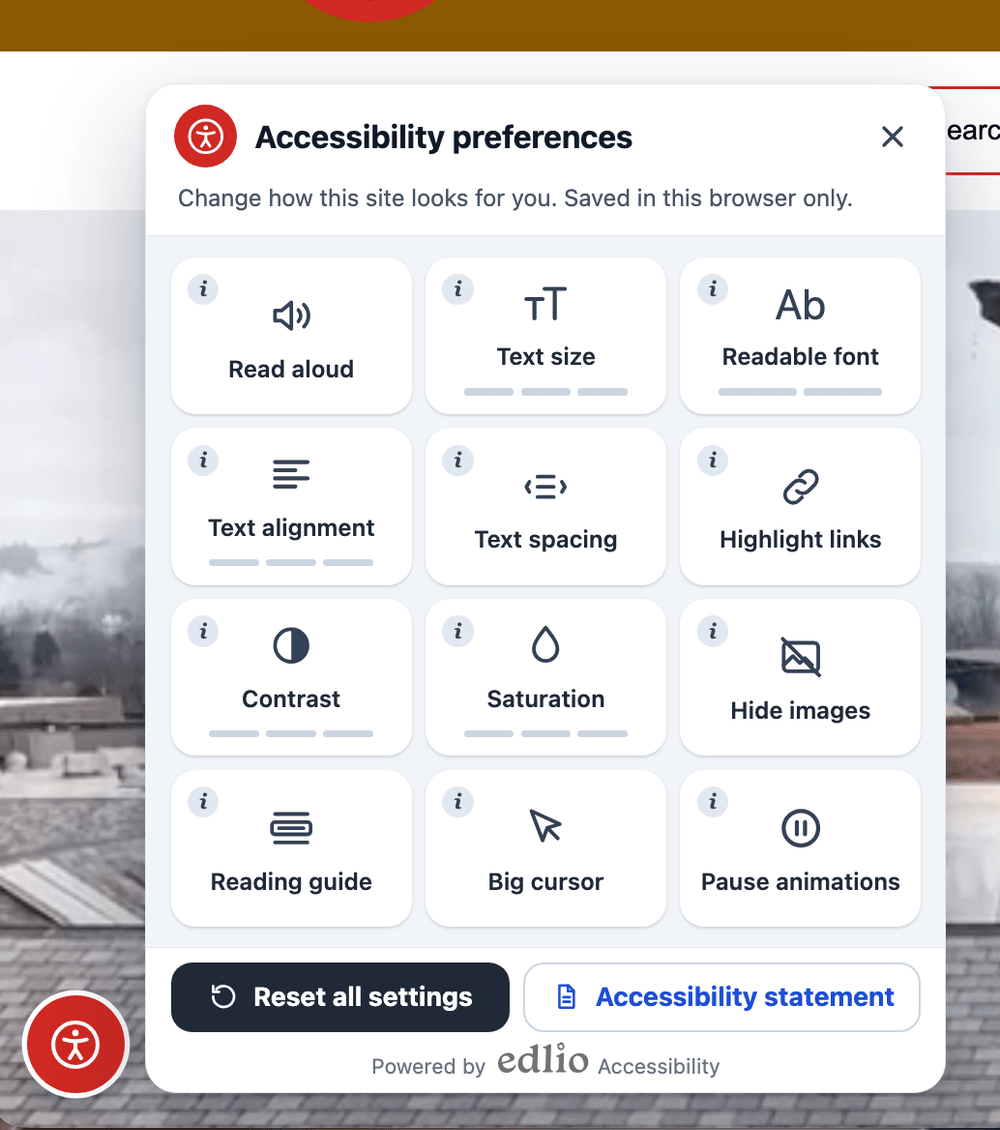
12 Settings at Every Visitor's Fingertips
The widget acts like a button on every page of a school's website. It opens Accessibility preferences, where visitors pick from 12 personalized settings:
Read Aloud
The page is read out loud in the device's own native voice for auditory learners and visually impaired visitors.
Text Size
Make text 15%, 30%, or 50% bigger across the entire page without breaking layout or horizontal alignment.
Font
Adjust typography to high-legibility, dyslexia-friendly fonts designed for improved reading comprehension.
Text Alignment
Switch text alignment to left, center, right, or justified to match individual cognitive preferences.
Text Spacing
Increase space between lines, letters, words, and paragraphs to make long school policy announcements easier to scan.
Highlight Links
Underline and outline every clickable link and button across the page for immediate visual distinction.
Contrast
Change to white on black, black on white, or inverted color palettes to reduce glare and eyestrain.
Saturation
Choose between softer, stronger, or complete grayscale monochrome to comfort light-sensitive visitors.
Hide Images
Pictures and banners are hidden cleanly without disrupting page structure or text placement.
Reading Guide
A focused reading bar that follows the mouse cursor to help neurodivergent readers keep their place in long articles.
Big Cursor
Increase the size and visibility of the mouse cursor so navigation targets are effortless to track.
Pause Animations
Instant halt for all movement: background animations are stopped, video carousels and audio players are paused.
Customized to Your School or District
Tailor both your official policy statement and the widget's visual presentation to match your school brand.
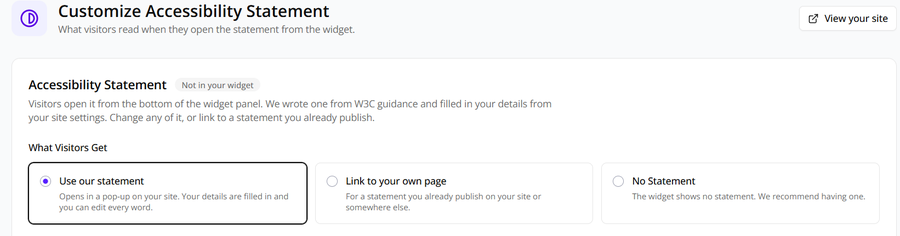
Include Your Accessibility Statement
Your official school accessibility statement can be shared directly within the settings window for total transparency. You can choose from a customizable template, a link out to another page, or to turn that setting off if you are sharing that information a different way.
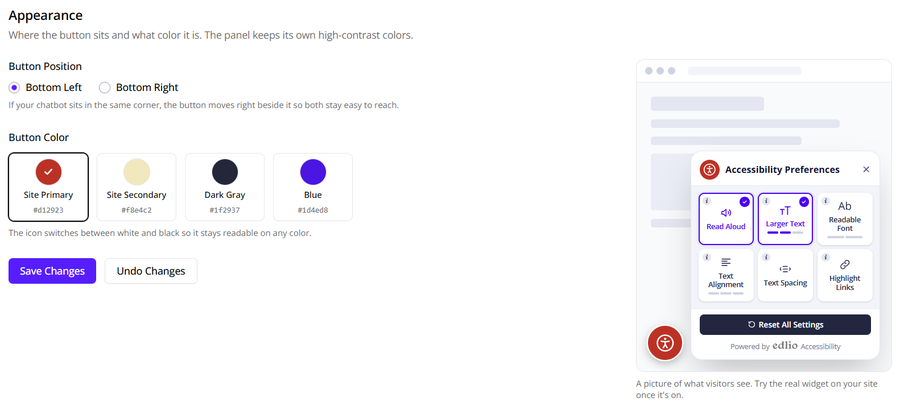
Customize the Look of Your Widget
You can choose from the primary and secondary colors of your site as well as decide where the widget will appear on the page. The widget icon will retain high-contrast colors.
Additional Highlights
Designed from the ground up for schools, districts, and privacy compliance.
Built into the Edlio CMS
No script to paste, no vendor account, no second login. Just turn it on directly from the CMS dashboard.
Private by Design
Choices are saved only in the visitor's own browser. Read aloud uses the voices on the visitor's device with zero data tracking.
Works on Mobile
Responsive layout controls adapt effortlessly to smartphones and tablets so families on the go stay connected.
Also Available Standalone
The Accessibility Widget can run on any school or district website, regardless of CMS platform or host provider.
Free for Schools and Districts
As part of Edlio’s ongoing commitment to accessibility, the Accessibility Widget is included as a core feature of the Edlio CMS, and is also free for any school or district to add to their website.